


Autel or OBDSTAR device to program Nissan Kicks 2019 all 4A smart keys lost? Let’s explore.

First of all, generate Autel universal Nissan style ikey remote with Autel KM100.
Generate remote under Nissan Kicks 2017-2022 433MHz ID4A option.

We use KM100 to program key. Do a IMMO Status scan.

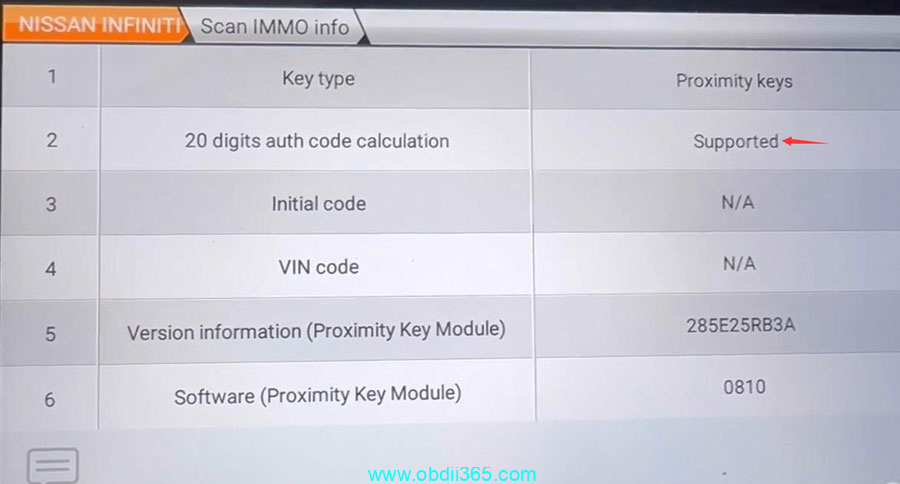
It says 20-digit password calculation is supported but it still asks for 20-digit password.


If we go to Immo/Smart system->Smart key-> Smart key learning (guided), it still asks for 20-digit password.
Then we try OBDSTAR X300 DP Plus. It says 20-digit password calculation is supported.
We select All keys lost.
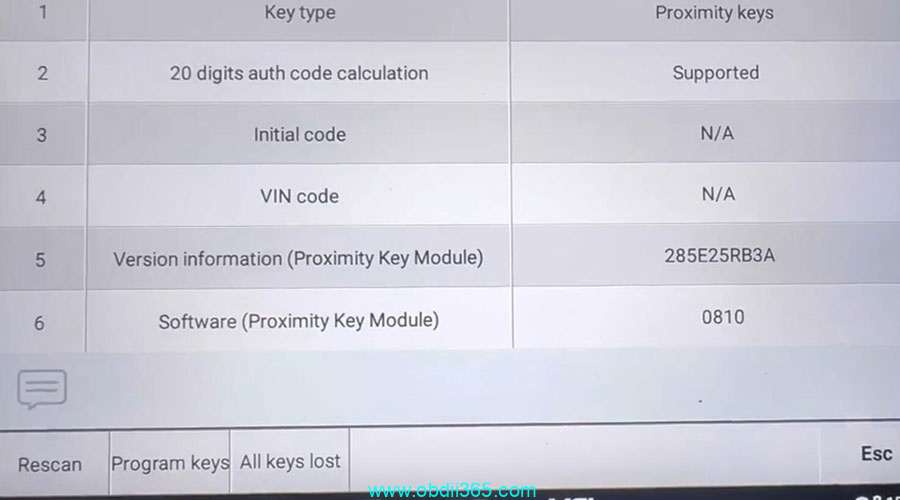
All keys will be erased.
Turn off the ignition and turn on the emergency switch.

Press the start button, the indicator flashes on the start button, 5 seconds with 1st smart key logo on the center of the start button, dashboard will turn on automatically.


Switch ignition off and wait 5 sec
Program 1st key success.

Press the Start button with the 1st smart key within 5s.
Then release it and attach it to the Start button until the ignition is on and the buzzer beeps.
Switch ignition off and wait 5 sec.
Program completed.

Test the new smart key.

OBDSTAR program Kicks 2019 smart key successfully.