Why can’t my EoneBoss TLK1 tool recognize the key?
1. Confirm the key type
TLK1 only supports original factory Toyota/Lexus smart keys with the following chip types: 8A / AA / BA / B9 / B8.
Other key types will display “Incorrect Key Type,” which means the key is not supported.
2. Place the key in the correct position
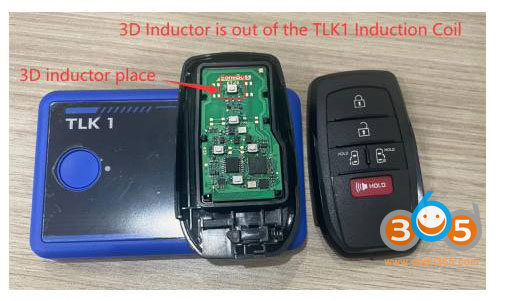
The smart key communicates with TLK1 through a built-in 3D inductor.
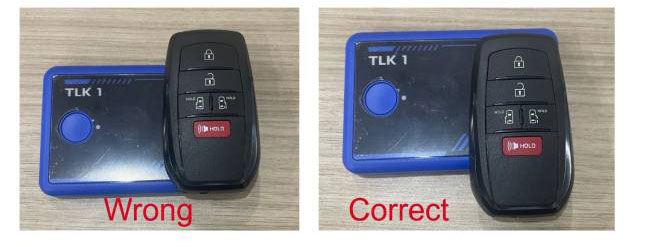
For proper detection, The 3D inductor of the key must be placed inside the induction coil of the TLK1.
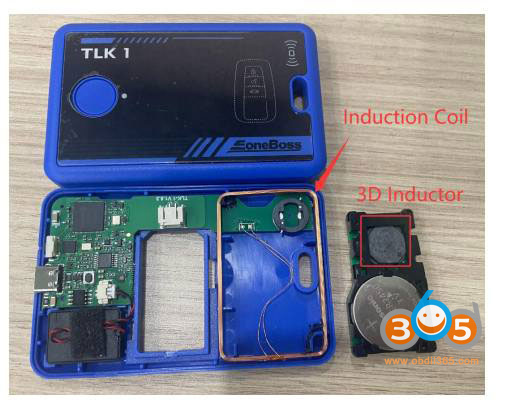
As shown in the picture below, if the key is placed incorrectly, the 3D inductor will be outside the TLK1 induction area, and the tool will not be able to recognize the key.
Correct key placement is essential for successful detection.