If you’re working on a 2017 Volkswagen Passat or Jetta and find yourself in an “all keys lost” situation, you’re dealing with what’s commonly referred to as Immobilizer 4.5. While the procedure is similar to earlier IMMO 4 systems (2011–2016), the chip type and some critical steps are different.
In this guide, we’ll walk through the step-by-step process using an Autel IM508 and XP400 programmer, along with a bench programming platform (Godiag or similar). This method applies specifically to vehicles with a keyed ignition (not push-to-start).
Understanding IMMO 4.5
Unlike earlier IMMO 4 systems that use a standard 48-chip transponder, IMMO 4.5 uses a Megamos AES chip. While reading the immobilizer data is similar to models from 2011 to 2017, the process for creating a dealer key and learning it to the vehicle requires a different menu and sequence.
Important: This guide covers a 2017 model with keyed ignition. Push-to-start (smart key) systems have additional steps.
Tools Required
-
XP400 programmer
-
Bench programming platform (Godiag GT110) with Pogo pin adapter
-
T8 screwdriver
-
New blank key with AES transponder
Step 1: Access the Instrument Cluster
-
Remove the instrument cluster from the vehicle.
-
Cut the warranty label on the back (you’ll need to open the housing).
-
Use a T8 screwdriver to remove the four screws on the back of the cluster.
-
Carefully unclip the side tabs and open the cluster housing.
Note: Be mindful of debris inside—clusters can sometimes contain insects or dust, especially in humid climates.
Step 2: Locate the Pogo Pin Connection
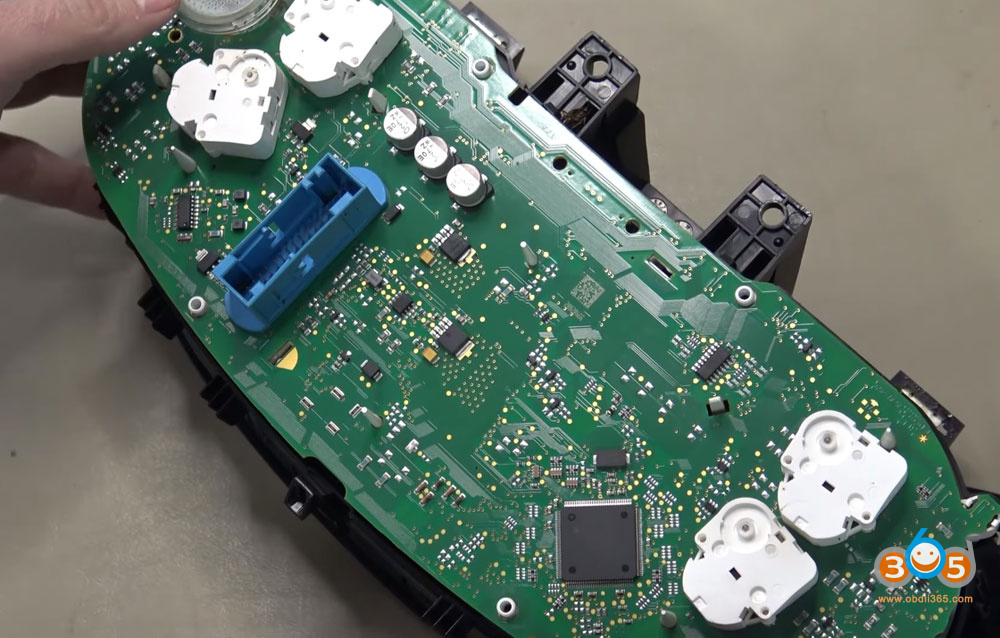
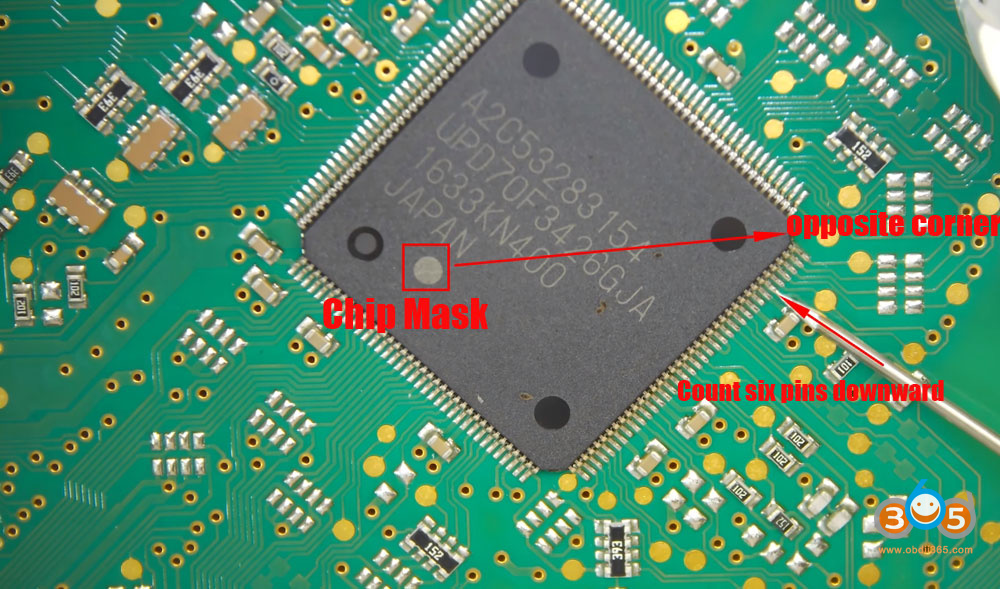
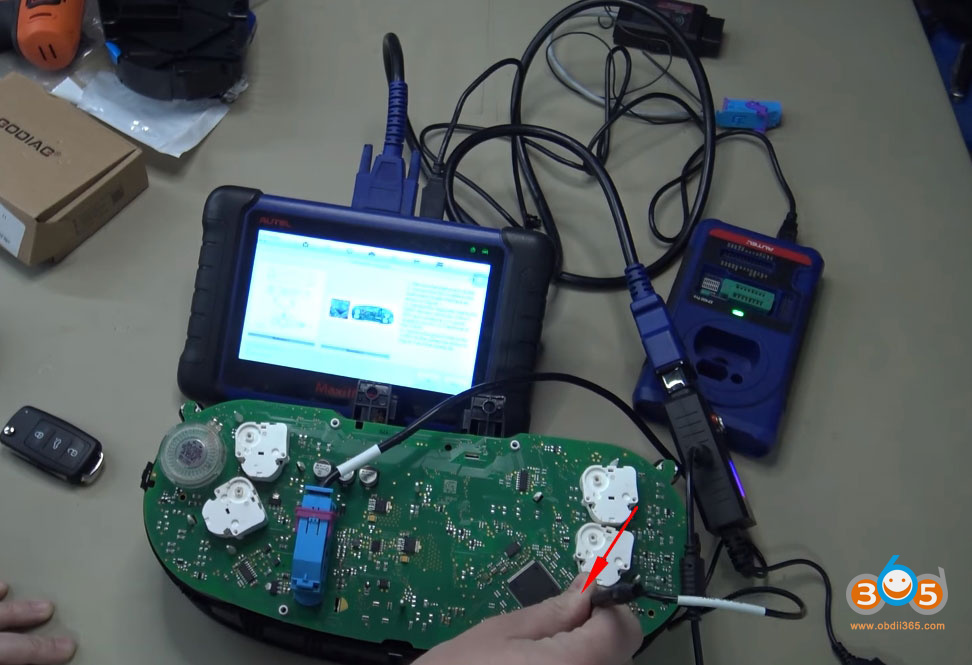
Inside the cluster, locate the main microcontroller. Look for the chip with a small dot marking pin 1.
-
Start at the marked corner of the chip.
-
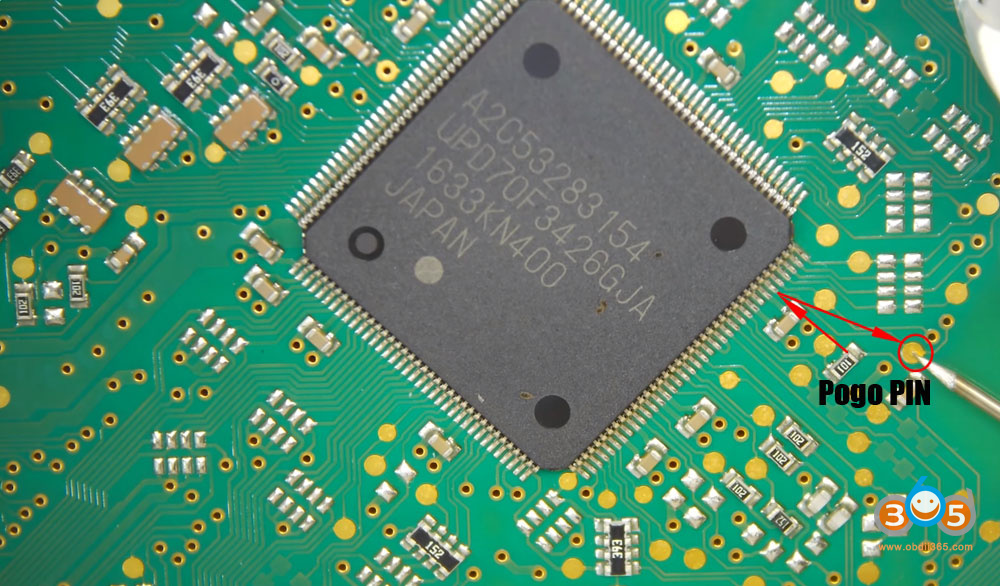
Count 6 legs from that corner.
-
Follow the trace from the 6th leg to the nearest exposed test point or hole on the circuit board.
This test point is where you’ll connect the pogo pin to put the cluster into service mode.
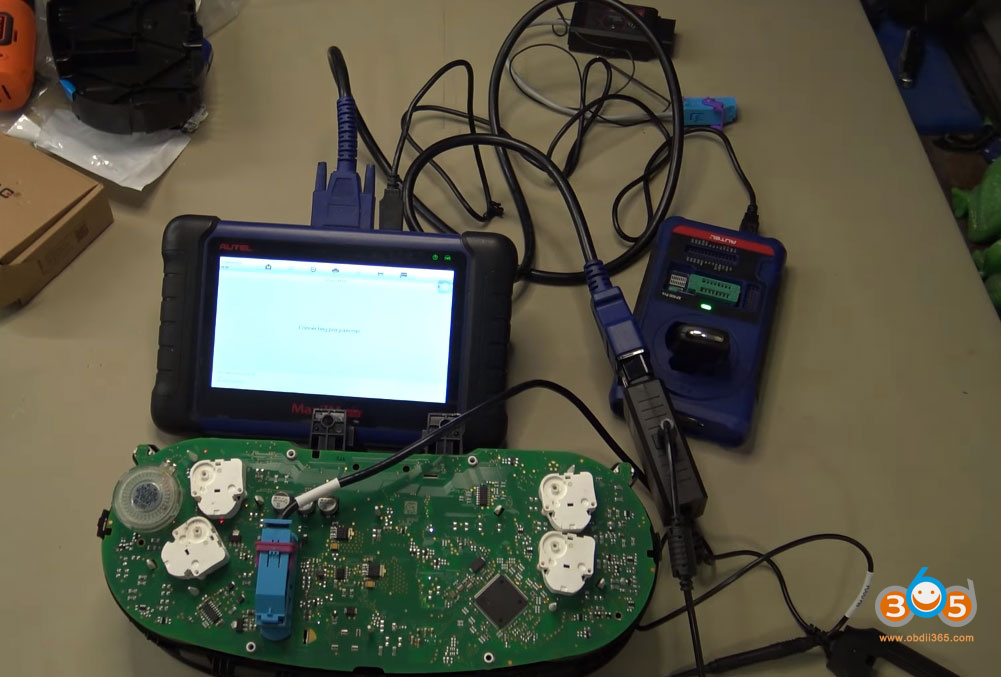
Step 3: Connect the Bench Platform
-
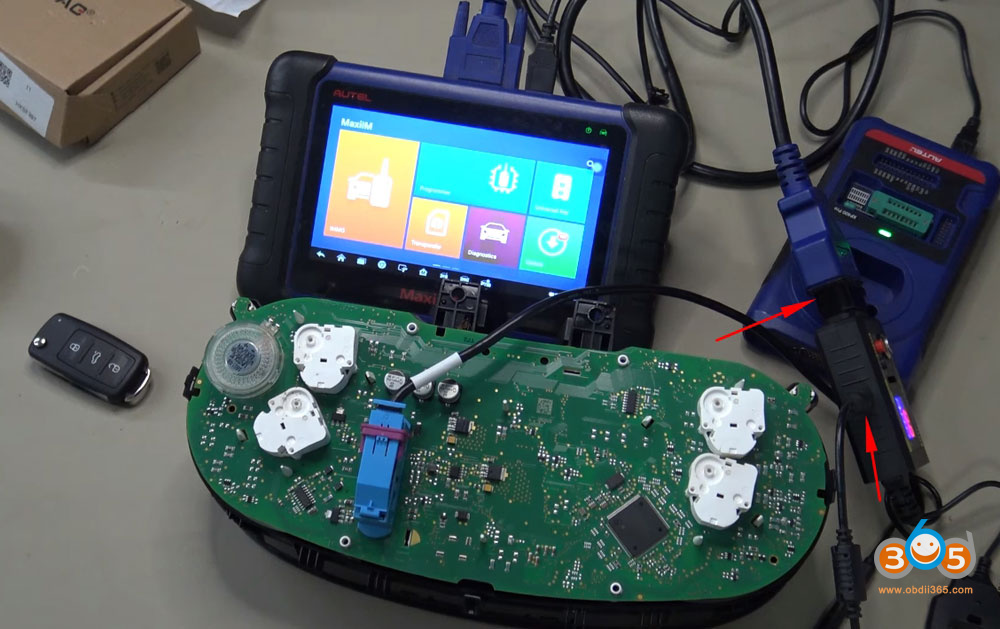
Plug the bench platform into the cluster’s OBD connector.
-
Connect 12V power to the platform.
-
Connect the Autel IM508 to the platform.
-
Ensure the red power switch on the platform is pressed in (main power to cluster).
-
Do not turn on the ignition (silver button) yet.
Step 4: Read IMMO Data (Using IMMO 4 Menu)
Even though this is an IMMO 4.5/MQB system, you’ll read the data using the standard IMMO 4 Instrument CAN menu.
-
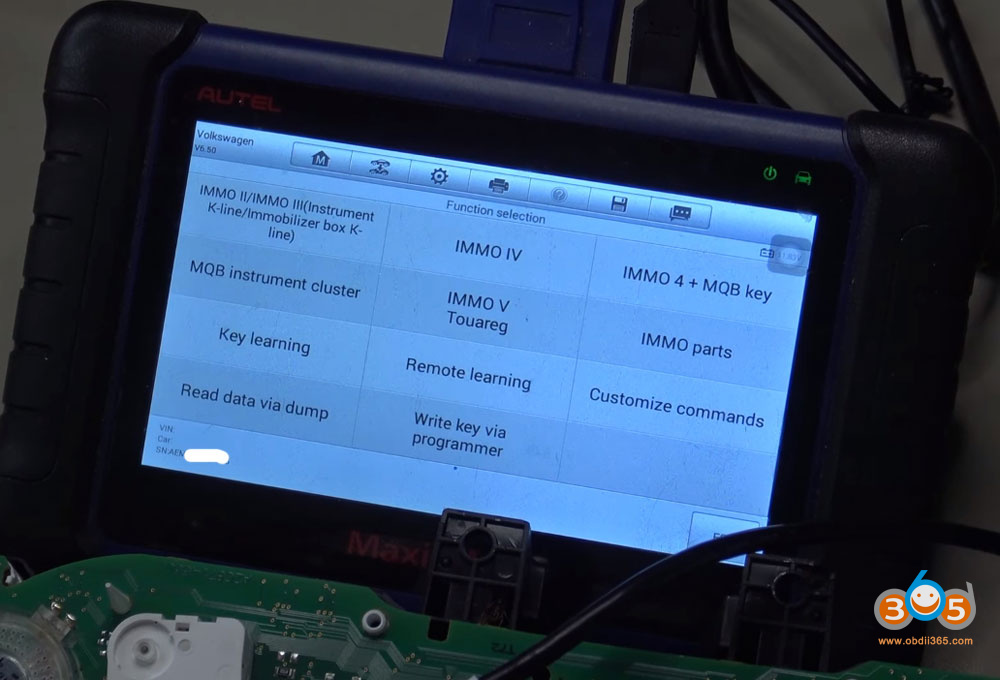
On the Autel, navigate to: IMMO- Volkswagen- Expert Selection- IMMO4- IMMO IV Instrument CAN
-
Turn on the bench platform (silver button) to power the cluster.
-
Select Auto Detect to identify the cluster (e.g., VDO NE24C64).
-
Choose Enter Service Mode (All Keys Lost).
-
When prompted, place the pogo pin on the previously identified test point.
-
Turn the cluster off (silver button off, red button still on).
-
Press OK on the Autel, then immediately turn the cluster back on.
-
The cluster will enter service mode (brake warning light will stay on).
-
Remove the pogo pin when the tool confirms the operation is complete.
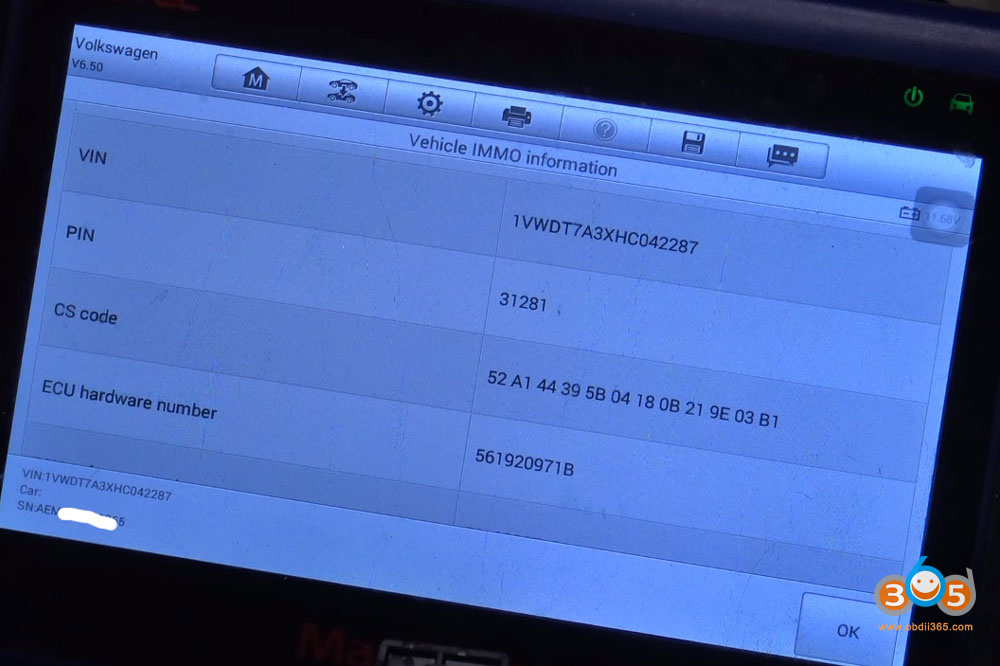
The Autel will now read the IMMO data and display the CS (challenge/security) code and PIN.
Take a clear picture of this information — you’ll need it later.
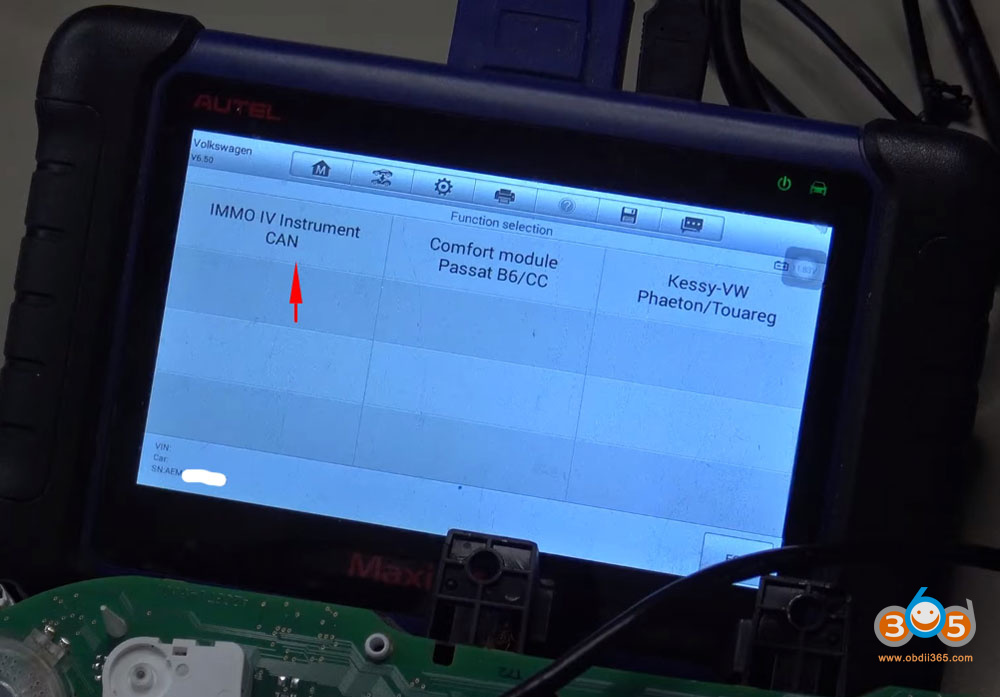
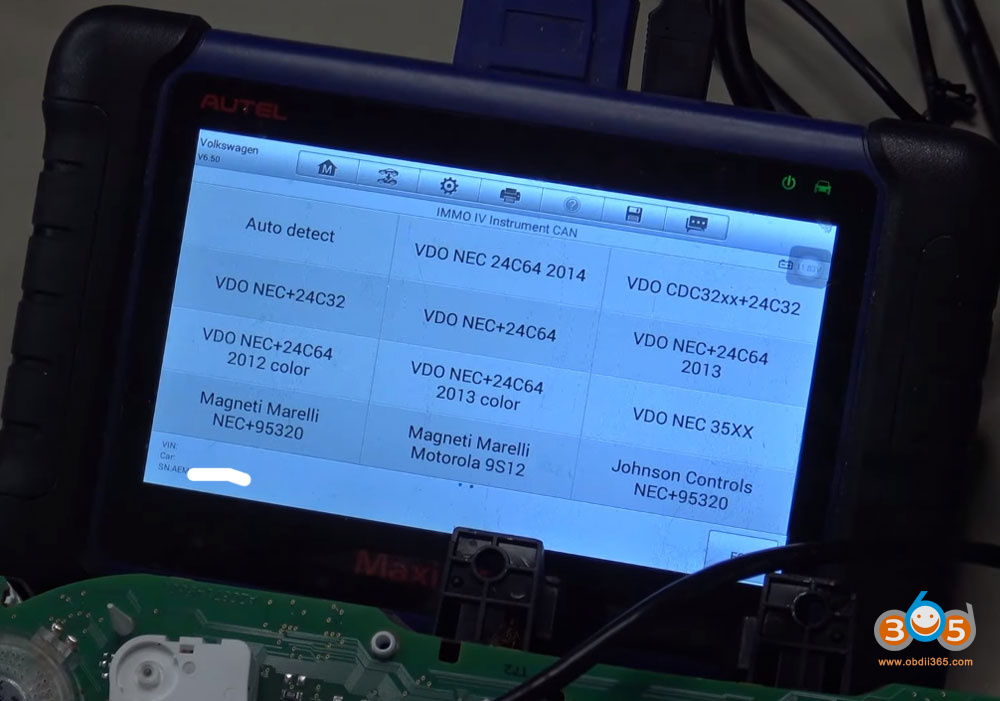
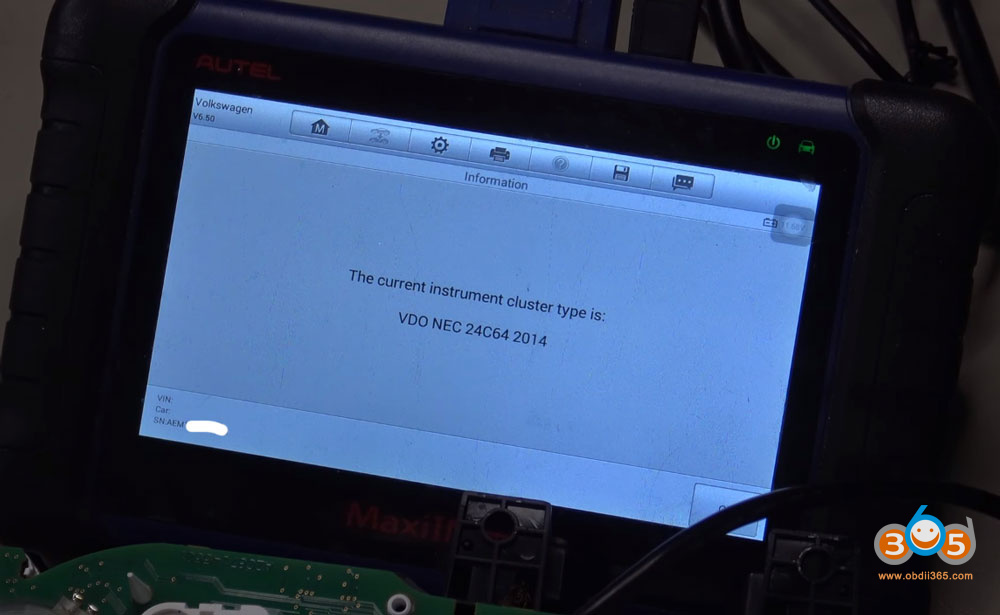
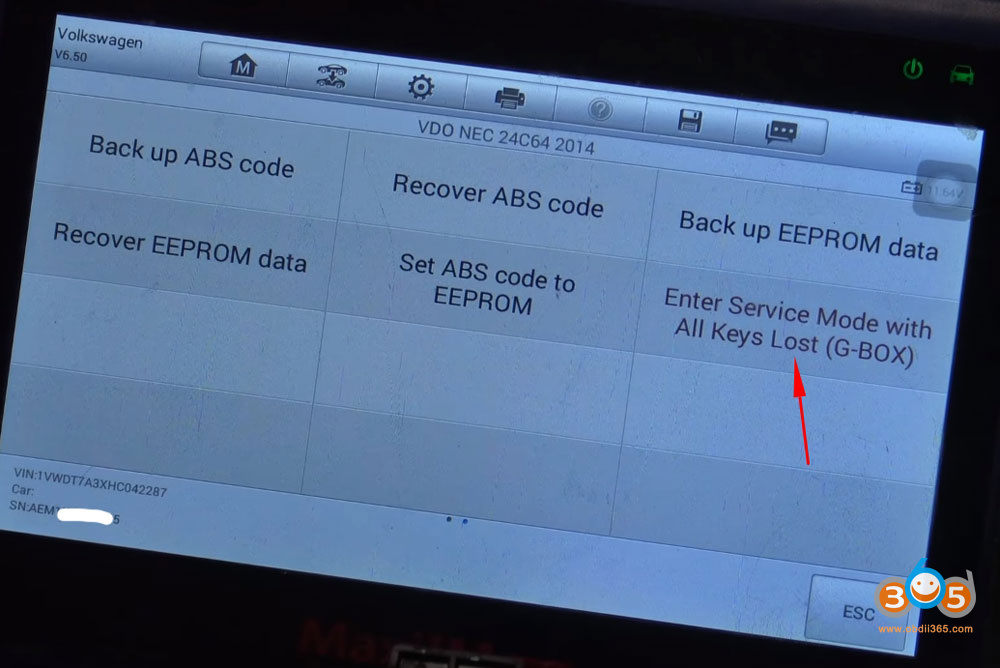
Step 5: Create a Dealer Key (Using IMMO 4 MQB Menu)
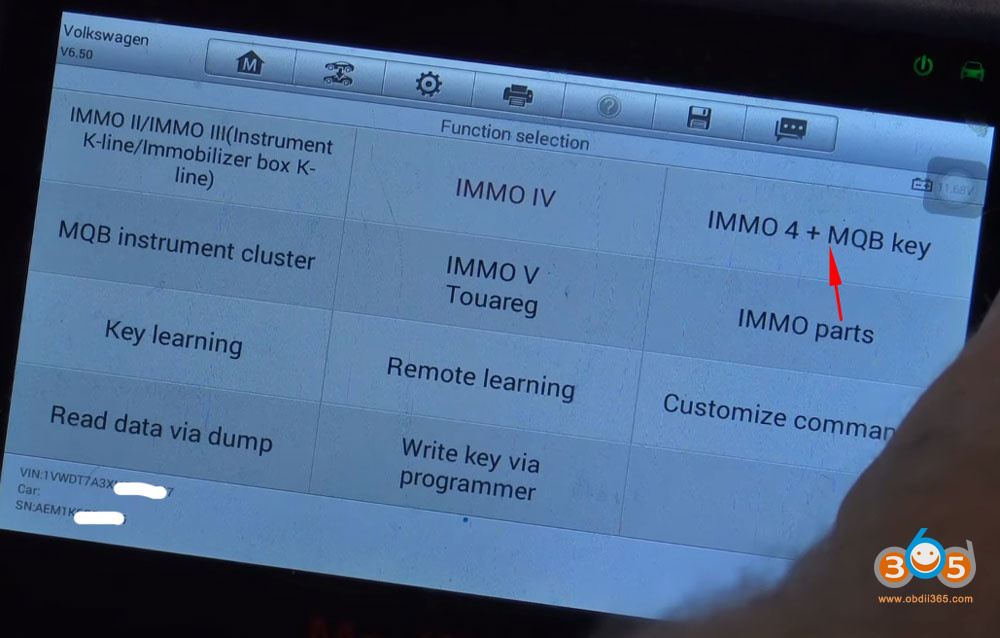
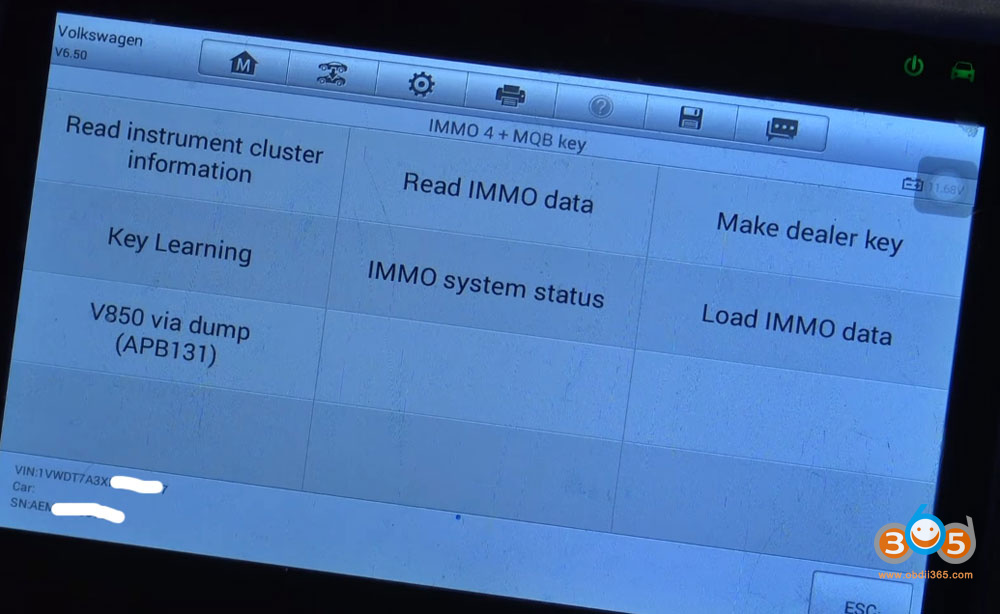
For 2017 models, you cannot create the dealer key from the same menu used to read the data. You must back out and use the MQB-specific menu.
-
Exit back to the main IMMO menu.
-
Navigate to: IMMO- Volkswagen- Expert Selection- IMMO4 MQB
-
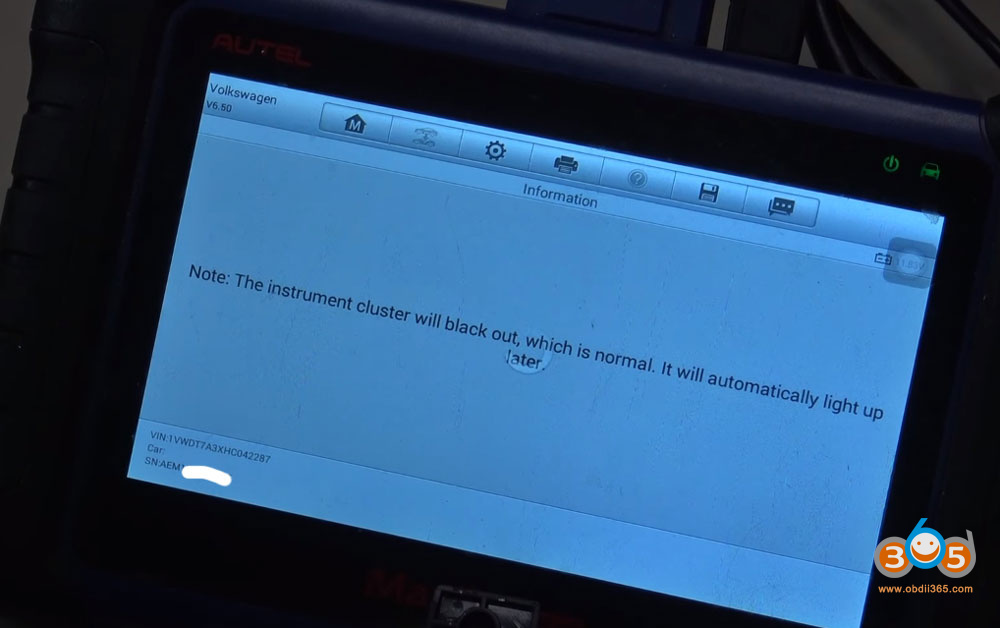
Select Make Dealer Key.
-
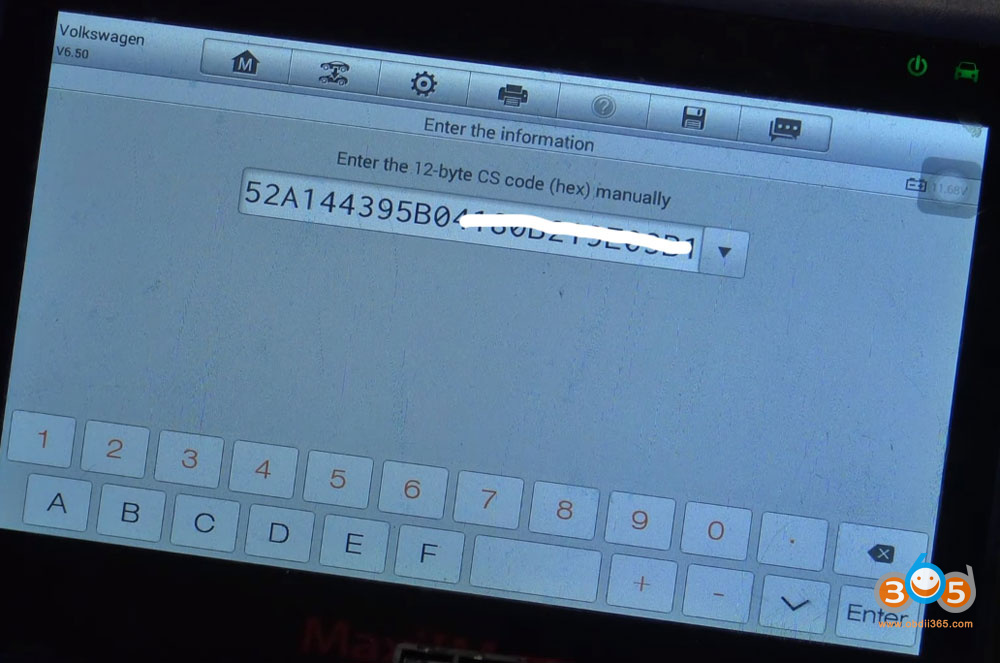
Manually enter the CS code you photographed earlier.
-
When asked if you have the original key, select No.
-
Place your new blank AES key into the XP400 programmer.
-
Confirm the placement and proceed.
-
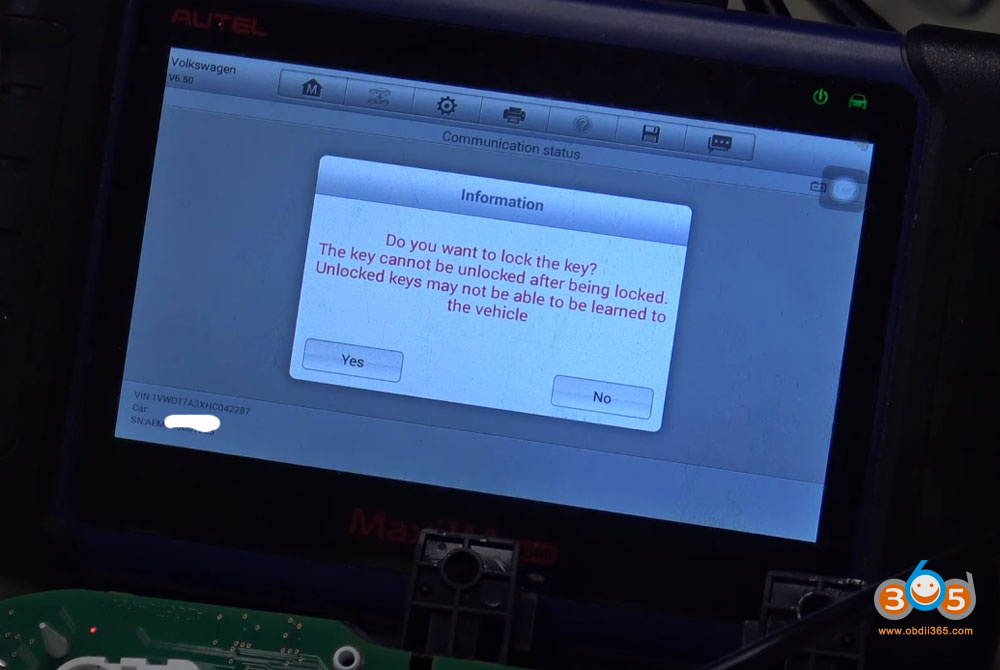
When prompted to lock the key, select Yes.
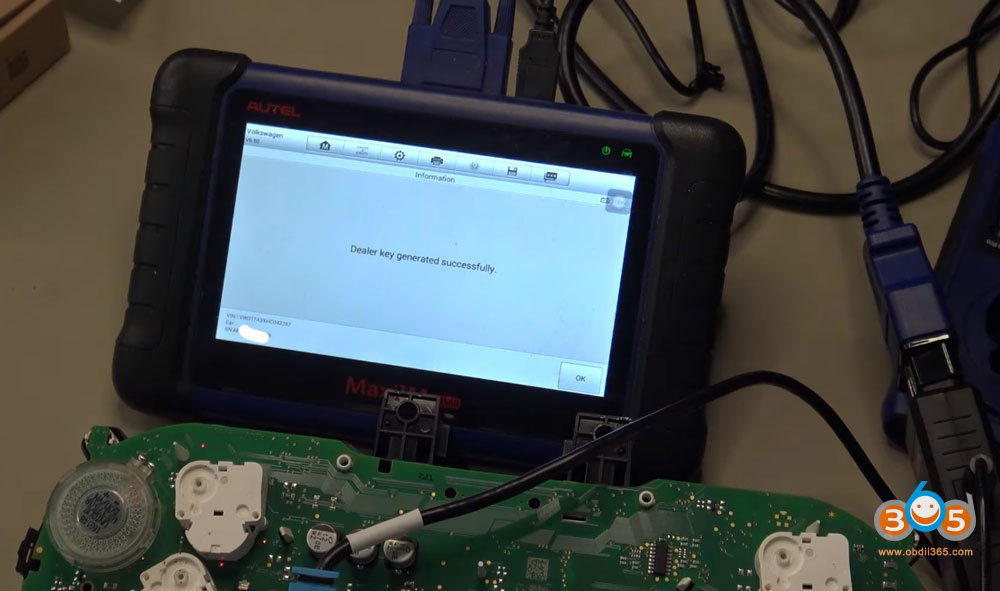
The tool will generate a dealer key successfully.
Step 6: Learn the Key to the Vehicle
Now that the dealer key is created, you’ll program it to the vehicle using the bench platform’s ignition coil.
-
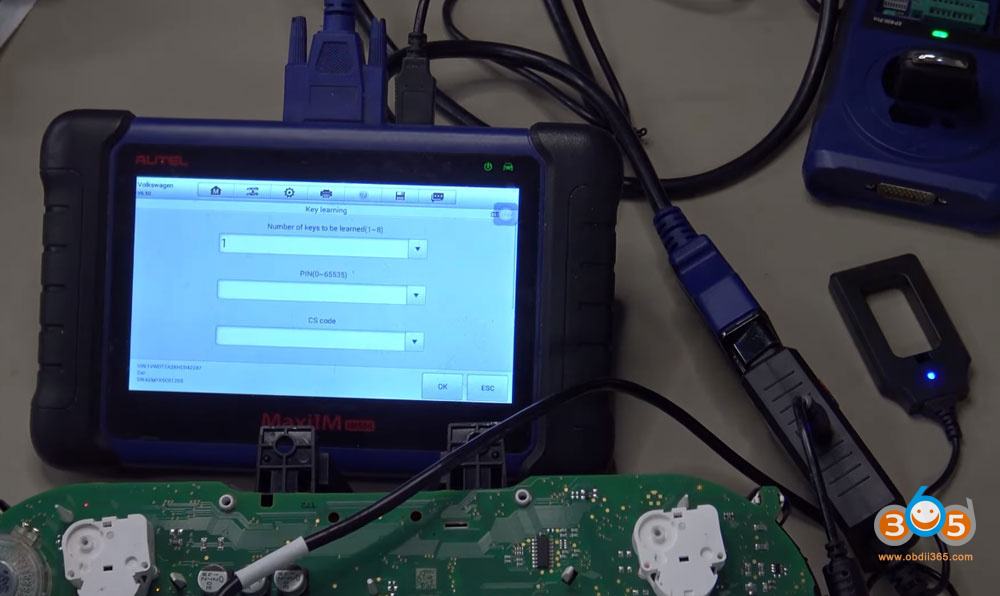
From the IMMO 4 MQB menu, select Key Learning.
-
When asked if the vehicle has a smart key, select No (for keyed ignition).
-
Re-enter the PIN and CS code from your photo.
-
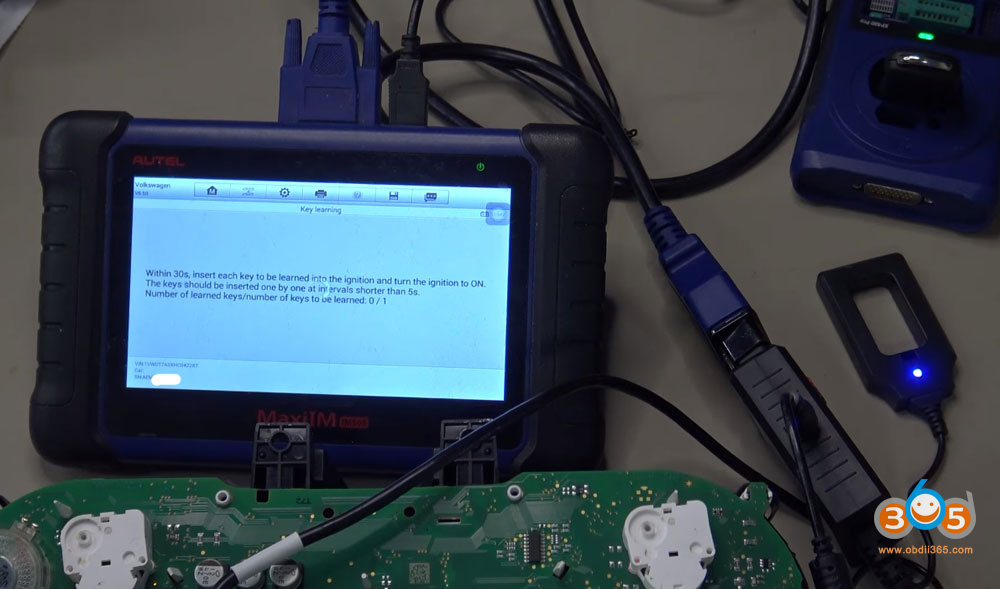
Place the newly created key in the bench platform’s coil.
-
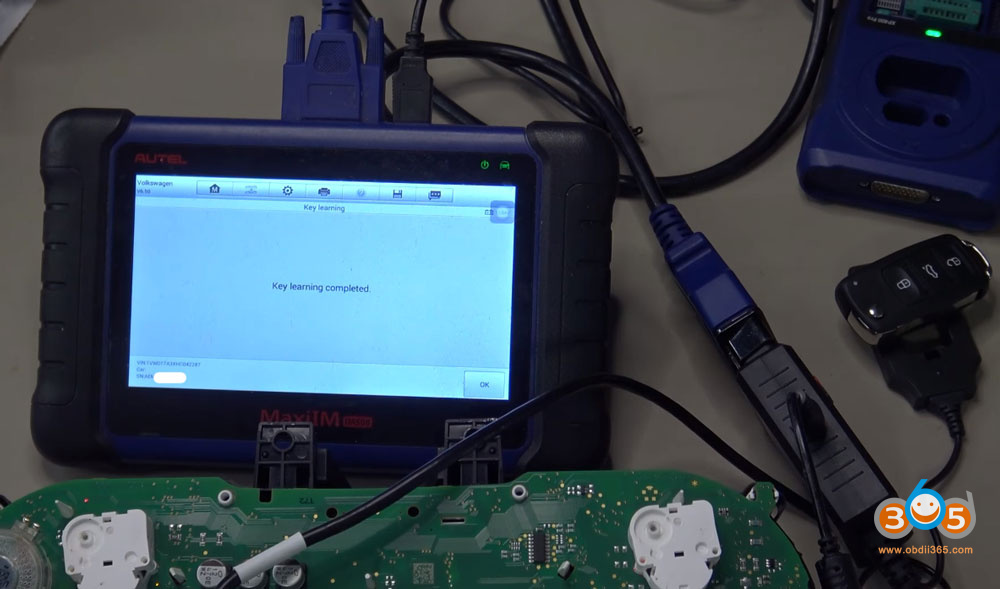
Follow the on-screen prompts to complete learning.
-
The tool will confirm “1-1” — meaning one key learned successfully.
-
Turn off the ignition, wait 5 seconds, and turn it back on.
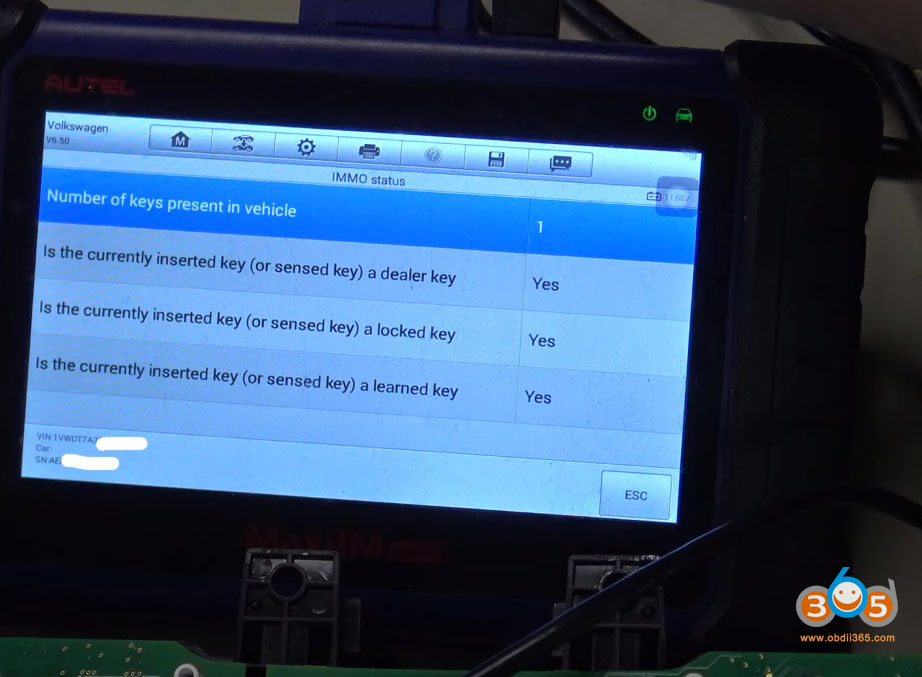
To verify:
-
Go to IMMO System Status in the same menu.
-
Place the key in the coil.
-
The tool should show:
-
Number of keys present: 1
-
Is it a dealer key? Yes
-
Is it locked? Yes
-
Is it learned? Yes
-
Final Steps in the Vehicle
Once the key is learned on the bench:
-
Reassemble the instrument cluster and reinstall it in the vehicle.
-
Cut the key blade to match the vehicle’s locks.
-
Learn the remote functions separately (typically via manual door lock cycling or diagnostic tool — procedure varies by model).
In most keyed ignition VWs from this era, the immobilizer learning carries over to the vehicle automatically. You do not need to repeat the immobilizer learning in the car.
Troubleshooting Notes
-
If the IMMO data reading fails on the first try, re-check the pogo pin connection and ensure the red power button stays engaged.
-
For 2011–2016 models, the procedure is simpler — you can create the dealer key and learn it directly from the IMMO 4 menu without switching to MQB.
-
Every once in a while, the key may need to be re-learned in the vehicle itself, but this is rare for keyed ignition systems.
Conclusion
All-keys-lost on a 2017 VW Passat or Jetta with IMMO 4.5 is entirely doable with the right tools and careful attention to the pogo pin location and menu selection. The key differences from earlier models are the AES chip and the need to use the IMMO 4 MQB menu for dealer key creation and key learning.
With the key successfully programmed on the bench, you’re ready to cut the blade, sync the remote, and return the vehicle to service.